Think your online activities are private? Think again.
Not only are your surfing sessions tracked by websites, search engines and social networks, but often your Internet service provider (ISP), web browser, government and potentially hundreds of online tracking companies.
Whether it's to collect valuable (read: sellable) marketing data or prevent terrorist activity, movie piracy or kiddie porn, everything you think you're doing privately in the comfort of your home is anything but private.
But just because you want to spend time online anonymously doesn't mean you're a cybercriminal or have something to hide. Not only do regular folks want privacy, but remaining anonymous can also protect yourself from malicious types out to steal your identity for financial gain — from spammers and scammers alike.
And so there are a few things you can do to reduce the odds every click is tracked, archived and shared. The following are a few suggestions on where to start.
Smart software
How does Facebook know to show you ads for your local gym, supermarket or college? This is because your computer's unique Internet Protocol (IP) address, assigned by your ISP, reveals your geographical whereabouts. Even if your computer generates a different IP address every time you boot up or log online, this number (e.g. 220.165.119.12) can still tell of your general location.
And so there are many different solutions that can hide your Internet connection, allowing you to remain anonymous while online.
Some are websites, such as free "online proxy servers" that conceal your identity — simply point the web address (URL) to the proxy server and surf right from their website (check out proxy.org for a list of great options).

Others prefer Virtual Private Network (VPN) software that encrypts your online sessions. The browser-independent Hotspot Shield from AnchorFree, for example — available for Windows, Macs, iPhone and Android — channels all web activities through a personal VPN and secures all Internet communications by turning all HTTP traffic into the safer HTTPS (which is what your bank uses for a safe connection).
Free to use but with more features packed into the "elite" version ($29.95), Hotspot Shield is ideal for email and instant messaging, too, and reduces the likelihood of identity theft because you're not leaving a digital footprint -- including cyber-snoopers and rogue connections at Wi-Fi hotspots, hotels, airports, and so on.
Not only are your surfing sessions tracked by websites, search engines and social networks, but often your Internet service provider (ISP), web browser, government and potentially hundreds of online tracking companies.
Whether it's to collect valuable (read: sellable) marketing data or prevent terrorist activity, movie piracy or kiddie porn, everything you think you're doing privately in the comfort of your home is anything but private.
But just because you want to spend time online anonymously doesn't mean you're a cybercriminal or have something to hide. Not only do regular folks want privacy, but remaining anonymous can also protect yourself from malicious types out to steal your identity for financial gain — from spammers and scammers alike.
And so there are a few things you can do to reduce the odds every click is tracked, archived and shared. The following are a few suggestions on where to start.
Smart software
How does Facebook know to show you ads for your local gym, supermarket or college? This is because your computer's unique Internet Protocol (IP) address, assigned by your ISP, reveals your geographical whereabouts. Even if your computer generates a different IP address every time you boot up or log online, this number (e.g. 220.165.119.12) can still tell of your general location.
And so there are many different solutions that can hide your Internet connection, allowing you to remain anonymous while online.
Some are websites, such as free "online proxy servers" that conceal your identity — simply point the web address (URL) to the proxy server and surf right from their website (check out proxy.org for a list of great options).
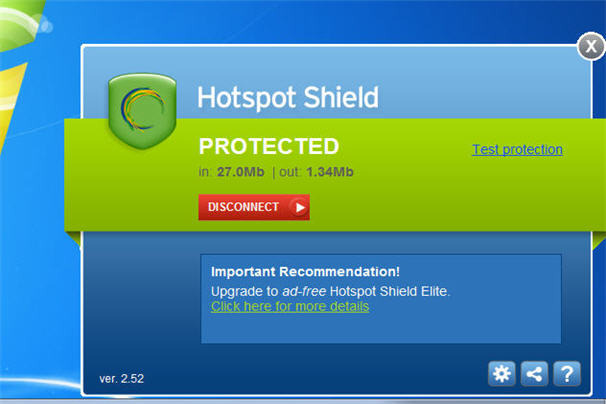
Others prefer Virtual Private Network (VPN) software that encrypts your online sessions. The browser-independent Hotspot Shield from AnchorFree, for example — available for Windows, Macs, iPhone and Android — channels all web activities through a personal VPN and secures all Internet communications by turning all HTTP traffic into the safer HTTPS (which is what your bank uses for a safe connection).
Free to use but with more features packed into the "elite" version ($29.95), Hotspot Shield is ideal for email and instant messaging, too, and reduces the likelihood of identity theft because you're not leaving a digital footprint -- including cyber-snoopers and rogue connections at Wi-Fi hotspots, hotels, airports, and so on.
Comments
Post a Comment